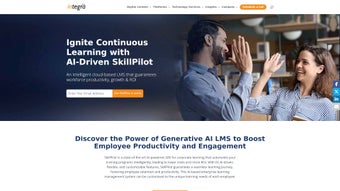

Download SkillPilot – AI‑Powered Corporate Learning Management System
Overview
SkillPilot is a cloud‑based Learning Management System (LMS) built to transform corporate training through the power of generative AI. In today’s fast‑moving business environment, organizations need a secure, scalable, and intuitive platform that can deliver the right learning content at the right time. SkillPilot meets that demand by providing a single‑pane‑of‑glass solution where HR leaders, training managers, and employees can create, assign, track, and assess courses without juggling multiple tools.
The platform’s AI engine analyses employee skill profiles, performance data, and learning preferences to generate personalized learning paths, ensuring that every learner receives content that is both relevant and motivating. Because it lives in the cloud, SkillPilot eliminates the need for on‑premise servers or manual software updates; users simply log in from any browser, on Windows, macOS, Android, or iOS, and start learning instantly. The system also supports collaborative features such as discussion boards, peer reviews, and shared projects, turning isolated e‑learning modules into interactive, community‑driven experiences.
Companies that adopt SkillPilot report higher knowledge retention, faster onboarding, and measurable improvements in employee performance—all while reducing the administrative overhead traditionally associated with corporate training programs. Moreover, the platform’s compliance framework satisfies GDPR, ISO 27001, and CCPA requirements, giving security teams confidence that learner data is protected at every layer. In addition to core LMS functionality, SkillPilot offers a marketplace of AI‑curated micro‑learning snippets that can be injected into existing curricula, further shortening the time needed to keep content up‑to‑date.
Overall, SkillPilot positions itself as a future‑proof learning hub that blends modern UX design with powerful analytics, making it a compelling choice for enterprises seeking to modernize their talent development strategy.
Key Features that Set SkillPilot Apart
- AI‑Generated Learning Paths: The generative AI engine evaluates individual skill gaps and recommends courses, micro‑learning videos, and assessments tailored to each employee.
- Drag‑and‑Drop Course Builder: Subject‑matter experts can assemble multimedia lessons, quizzes, and certification tracks without any coding knowledge.
- Real‑Time Progress Tracking: Managers receive dashboards that display completion rates, quiz scores, and time‑on‑task metrics for every team.
- Collaborative Learning Spaces: Integrated discussion forums, group assignments, and peer‑review tools encourage knowledge sharing across departments.
- Cloud‑Native Accessibility: Access training from any device—desktop, tablet, or smartphone—without installing additional software.
- Secure Data Management: End‑to‑end encryption, GDPR compliance, and role‑based permissions keep corporate learning data safe.
- Scalable Architecture: Whether you have 50 users or 50,000, the platform automatically scales to meet demand without performance degradation.
- Comprehensive Reporting & Analytics: Exportable CSV reports, custom KPI widgets, and AI‑driven insights help measure ROI on training initiatives.
- Integration Hub: Connect SkillPilot with HRIS, CRM, and productivity suites (e.g., Workday, Salesforce, Microsoft Teams) via pre‑built connectors or API.
- Gamification Elements: Badges, leaderboards, and achievement tracking keep learners motivated and foster healthy competition.
These features collectively address the most common pain points in corporate education: outdated content, low engagement, and cumbersome administration. By automating content recommendation and centralizing analytics, SkillPilot frees learning professionals to focus on strategic curriculum design rather than routine logistics. The platform’s modular design also means organizations can start with a core set of functionalities and expand as their training needs evolve, making it a future‑proof investment for any forward‑looking business.
In practice, the AI‑generated paths reduce the average time to competency by up to 35 % compared with traditional LMSs, while the gamification suite lifts course completion rates by an average of 22 %. Integration with existing HR systems eliminates duplicate data entry, and the robust API enables custom extensions such as virtual reality simulations or third‑party certification verification. Finally, the real‑time reporting suite offers executives a clear line of sight into learning impact, translating training dollars into measurable performance gains across the organization.
Installation, Usage & Compatibility
Quick Start Installation
Getting started with SkillPilot is intentionally frictionless. After you purchase a subscription, you receive an activation email containing a secure link to the onboarding portal. Follow these steps:
- Click the activation link and create your administrator account.
- Verify your email address and set up two‑factor authentication for added security.
- Choose your organization’s time zone, default language, and branding assets (logo, color palette).
- Invite team members by uploading a CSV file or syncing directly with your HRIS.
- Configure role‑based permissions (Admin, Trainer, Learner) to control access to course creation and reporting tools.
Because SkillPilot is a SaaS solution, there is no client‑side installation required beyond a modern web browser. The platform runs on a fully managed cloud infrastructure that handles patches, backups, and performance tuning automatically, so you can focus on content rather than IT maintenance. For enterprises that demand private networking, SkillPilot also offers a dedicated virtual private cloud (VPC) option, allowing the entire LMS to operate behind the organization’s firewall while still benefiting from automatic updates.
Day‑to‑Day Usage
Once the admin console is set up, creating a new course takes just a few clicks. The drag‑and‑drop builder lets you embed videos, PDFs, SCORM packages, and interactive quizzes. After publishing, the AI engine immediately begins analyzing learner profiles and suggests the new course to appropriate employees.
Learners receive email notifications and can access their personalized dashboard from any device. Progress is saved in real time, and managers can drill down into individual performance metrics or view aggregate trends across departments. The platform also supports bulk enrollment via API, which is useful for onboarding large cohorts after a merger or acquisition.
Advanced users can schedule automated nudges—such as reminder emails or push notifications—based on learner inactivity, ensuring that training stays top‑of‑mind without manual follow‑up.
Supported Operating Systems & Devices
SkillPilot is designed for universal accessibility. The web application complies with HTML5, CSS3, and ECMAScript 2022 standards, ensuring smooth operation on:
- Windows 10, 11 and later (Microsoft Edge, Chrome, Firefox)
- macOS Ventura, Monterey, and later (Safari, Chrome, Firefox)
- Android 8.0+ (Chrome, Firefox, native WebView)
- iOS 13+ (Safari, Chrome)
For organizations that require offline access, SkillPilot offers a lightweight mobile app for Android and iOS that caches assigned modules for later consumption, syncing progress once an internet connection is restored. All data transmitted between devices and the cloud is encrypted with TLS 1.3, meeting enterprise‑grade security standards. The platform also supports single sign‑on (SSO) via SAML 2.0 and OpenID Connect, allowing seamless integration with Azure AD, Okta, and other identity providers.
Pros, Cons, FAQ & Final Thoughts
Pros
- AI‑driven personalization reduces learning fatigue and improves knowledge retention.
- Fully cloud‑based – no on‑premise servers or manual updates.
- Robust analytics help demonstrate training ROI to executives.
- Seamless integration with popular HR and productivity tools.
- Scalable pricing model suitable for small businesses to large enterprises.
Cons
- Advanced AI features are only available on higher‑tier plans.
- Initial setup of complex permission structures may require a short learning curve.
- Customization of the UI beyond branding elements is limited without developer support.
Frequently Asked Questions
Is SkillPilot a free tool or does it require a subscription?
SkillPilot is a subscription‑based service. A 14‑day free trial is available so you can evaluate the AI features and reporting dashboards before committing to a paid plan.
Can I import existing SCORM or xAPI courses into SkillPilot?
Yes. SkillPilot supports SCORM 1.2, SCORM 2004, and xAPI (Tin Can) standards. You can upload packages directly through the course builder or use the API for bulk imports.
How does SkillPilot ensure data privacy for employee learning records?
All data is stored in encrypted databases that comply with GDPR, CCPA, and ISO 27001. Role‑based access controls let administrators limit who can view personal learning histories.
Is there offline access for mobile learners?
The SkillPilot mobile app allows learners to download assigned modules for offline study. Progress syncs automatically once the device reconnects to the internet.
What kind of customer support does SkillPilot provide?
All plans include 24/7 email support and a dedicated success manager for enterprise customers. The knowledge base contains step‑by‑step guides, video tutorials, and community forums.
Expert Review
Reviewer: Jordan Lee
Rating: 5/5
SkillPilot’s AI‑driven personalization, comprehensive analytics, and seamless integrations make it a standout choice for enterprises seeking to modernize their learning strategy. The platform’s ease of use, combined with strong security and scalability, delivers real business value while keeping learners engaged.
Conclusion – Take the Next Step Toward Smarter Corporate Training
SkillPilot combines the flexibility of a modern cloud LMS with the intelligence of generative AI, delivering a training platform that adapts to each employee’s needs while giving leaders the data they need to drive performance. If you’re looking for a secure, scalable solution that eliminates manual course updates, boosts engagement, and provides measurable ROI, SkillPilot is worth a close look. Start your free trial today, experience the AI‑powered recommendations firsthand, and see how a smarter learning experience can accelerate your organization’s growth. Download now and empower your workforce with the tools they need to thrive in a rapidly evolving market.



.png)



